MadScripts is now part of the Aphora Health family.
arrow_forward

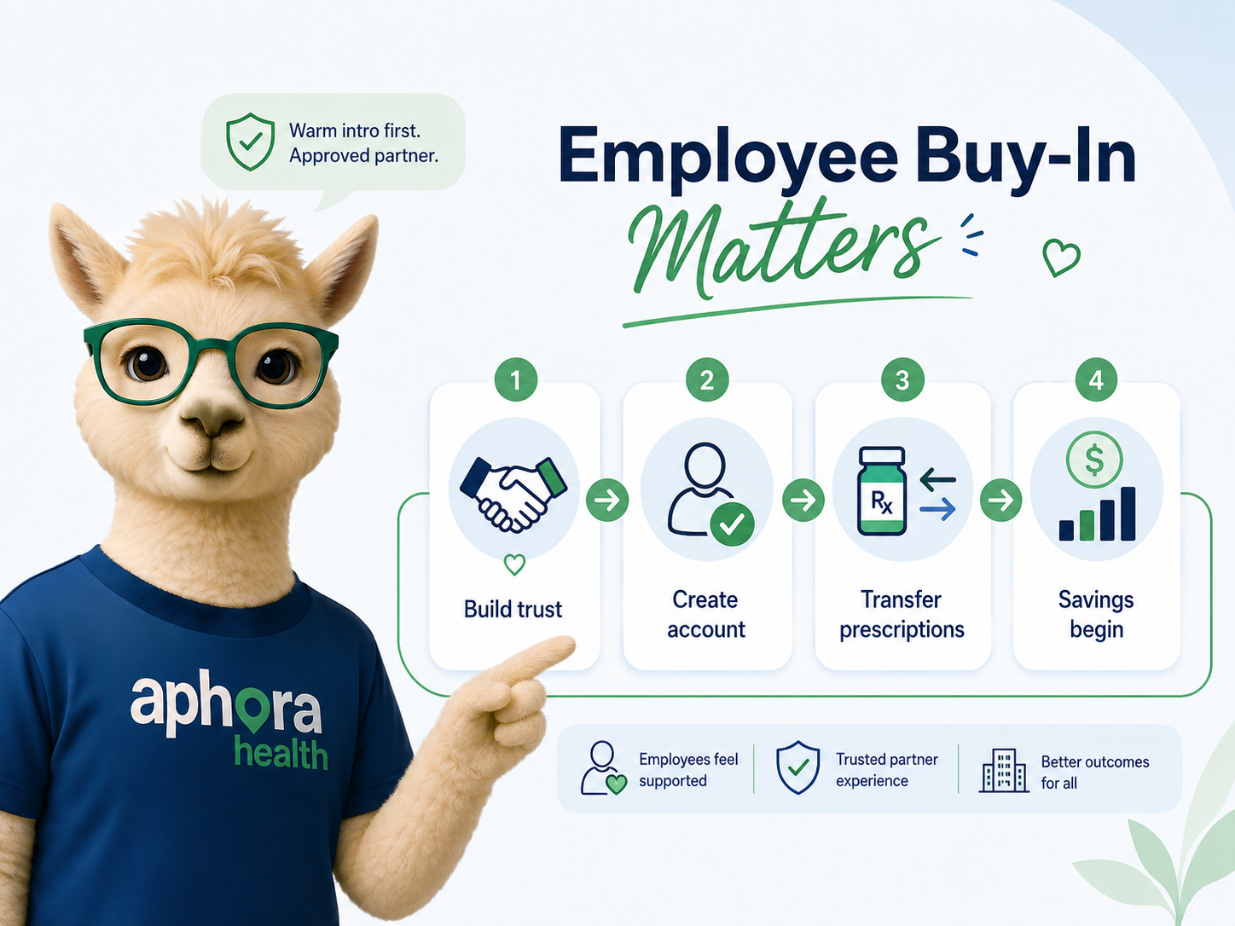
Employee buy-in is the first step in turning Aphora from an available benefit into real pharmacy savings.
Before Aphora can begin serving your employees and creating savings for your program, individual employees have to choose to participate. Each employee must choose to create an Aphora account, and, second, they must transfer their prescriptions over to our Pharmacy. Once that happens, the savings begin for everyone! However, we cannot make those moves on their behalf as they ultimately have to consent to changes regarding their personal prescriptions.
The goal of the four week campaign is simple: build trust, drive enrollment, help employees move eligible prescriptions to Aphora, and begin creating measurable pharmacy savings for your company!
Please explore the options below to see the difference between the ways you can introduce Aphora to your employees. Savings only begin once employees make their account and transfer their prescriptions, so it’s important to make that process as frictionless as possible.
+ bonus SMS campaign – We can add a texting campaign to any of the three types of email campaigns. You can even have an SMS campaign on its own, opting out of all email methods, however we do advise against this as SMS messages are most likely to be ignored as spam.
Scroll down to learn more about each of these options!
We have all received an email where our inbox has flagged it as being from an unknown sender or it refuses to show the images embedded inside the email until you choose to stick your neck out and trust it.
Out of the two mock-up emails below, which would you be more likely to open links from?
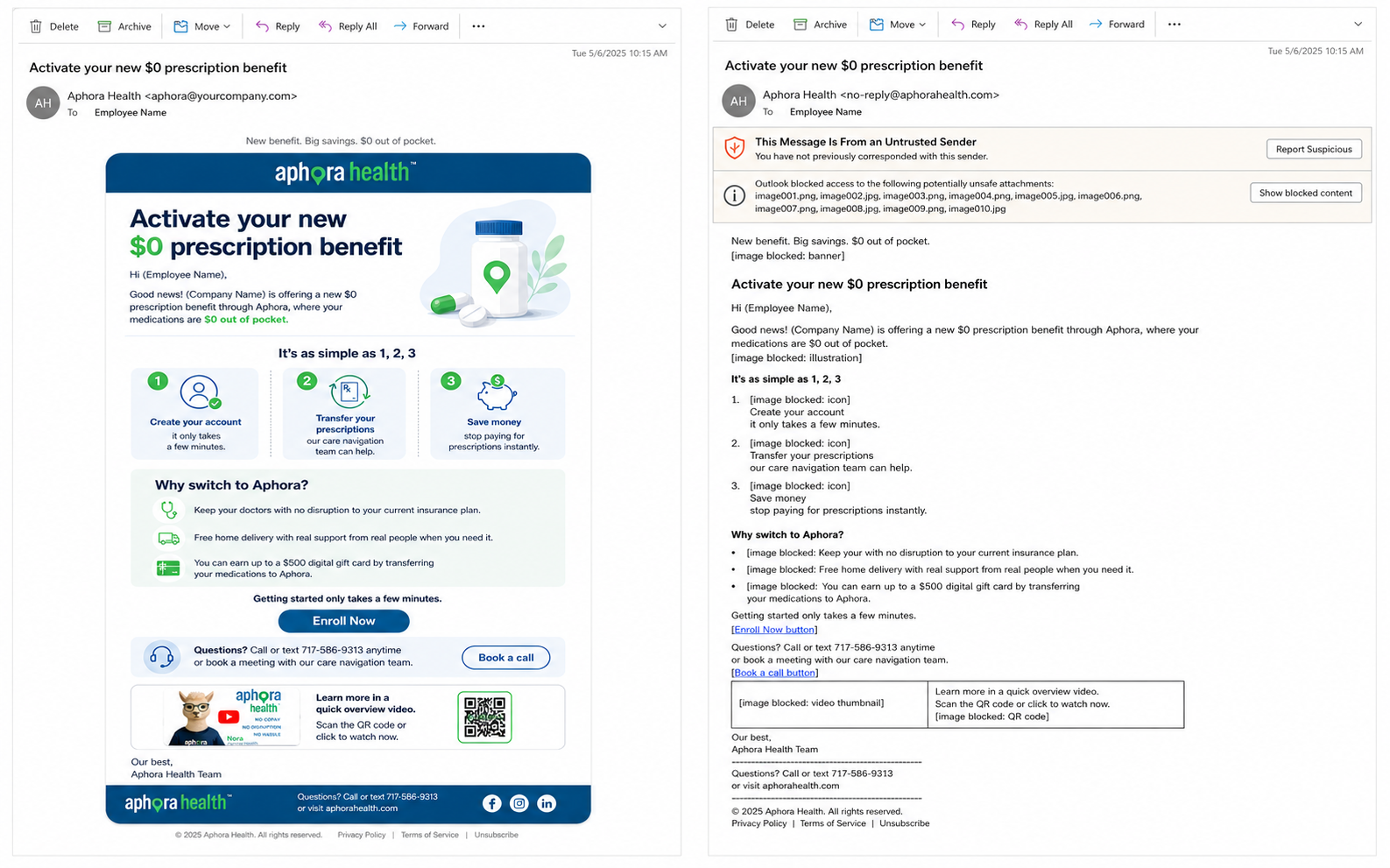
While we can work alongside your cybersecurity team to make sure that emails Aphora sends through Constant Contact are not flagged by your system as spam, the easiest way for us to be able to share visually pleasing messages that have functionally embedded videos, graphics that aren’t banished to netherworld, and links that don’t prompt “are you sure you want to leave this page?” warnings when they’re clicked is to send them from an email address internal to your domain.
To get started on this option, all we’d need from you is:
We’d handle the rest!
For cybersecurity environments that are unable or unwilling to create a domain-internal email address for us, we can email your employees from the outside. We would work alongside your cybersecurity/IT team to make sure our emails are given permission to enter your system without being sorted out as Spam or having every graphic and link blocked by your inboxes. This process will be quick and easy, but will require a small amount of testing to see how your company’s email ecosystem responds to our initial email formatting before we send it out to everyone.
Even with proper cybersecurity permissions, because we are emailing from an external domain, we would be limited in how we can embed videos, interactive elements, and some richer email graphics. We can still send a clear, polished campaign, but some inboxes may display an external-sender label, require employees to click a permission button before images load, or convert video content into a thumbnail/link instead of a fully embedded experience. We will discover how much or how little we can include through testing in your environment.
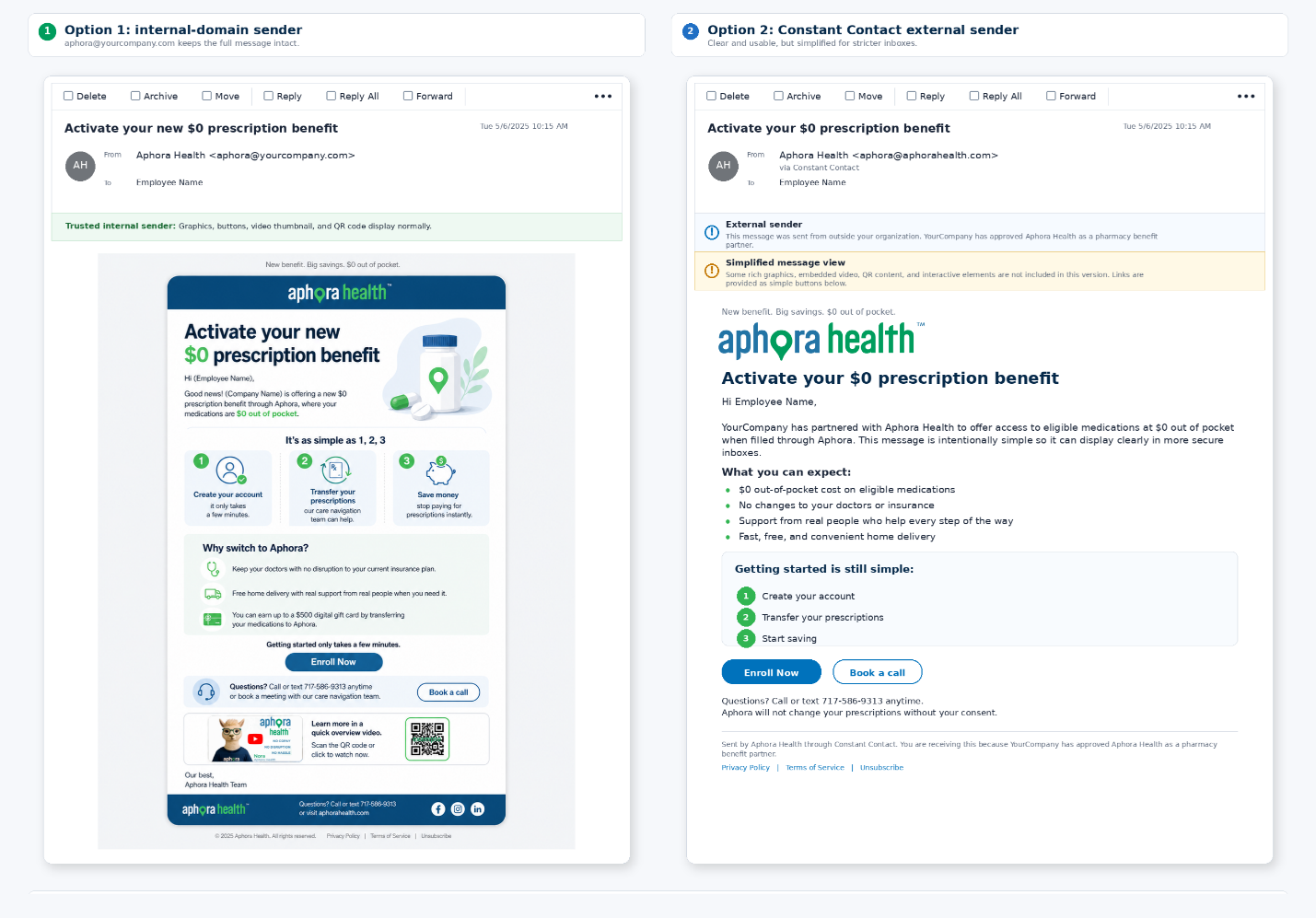
For this option to work well, the employer introduction matters. Employees should know in advance that Aphora is an approved pharmacy benefit partner, what sender name to expect, and what action they are being asked to take.
To get started on this option, we would need:
Sometimes the most trusted messenger is the one employees already recognize. With this route, your team sends the campaign through your existing internal channels, while Aphora supplies the copy, graphics, links, QR codes, video assets, and weekly timing recommendations.
This option gives you the most control over formatting, sender identity, and internal approvals. It also places more of the execution work on your team, because you would be responsible for building the emails in your own platform, sending them, and making sure each message reaches the right employee audience.
Best for: Employers that prefer to keep all employee communications inside their existing benefits newsletter, HR platform, intranet, Teams/Slack channels, or internal email system.
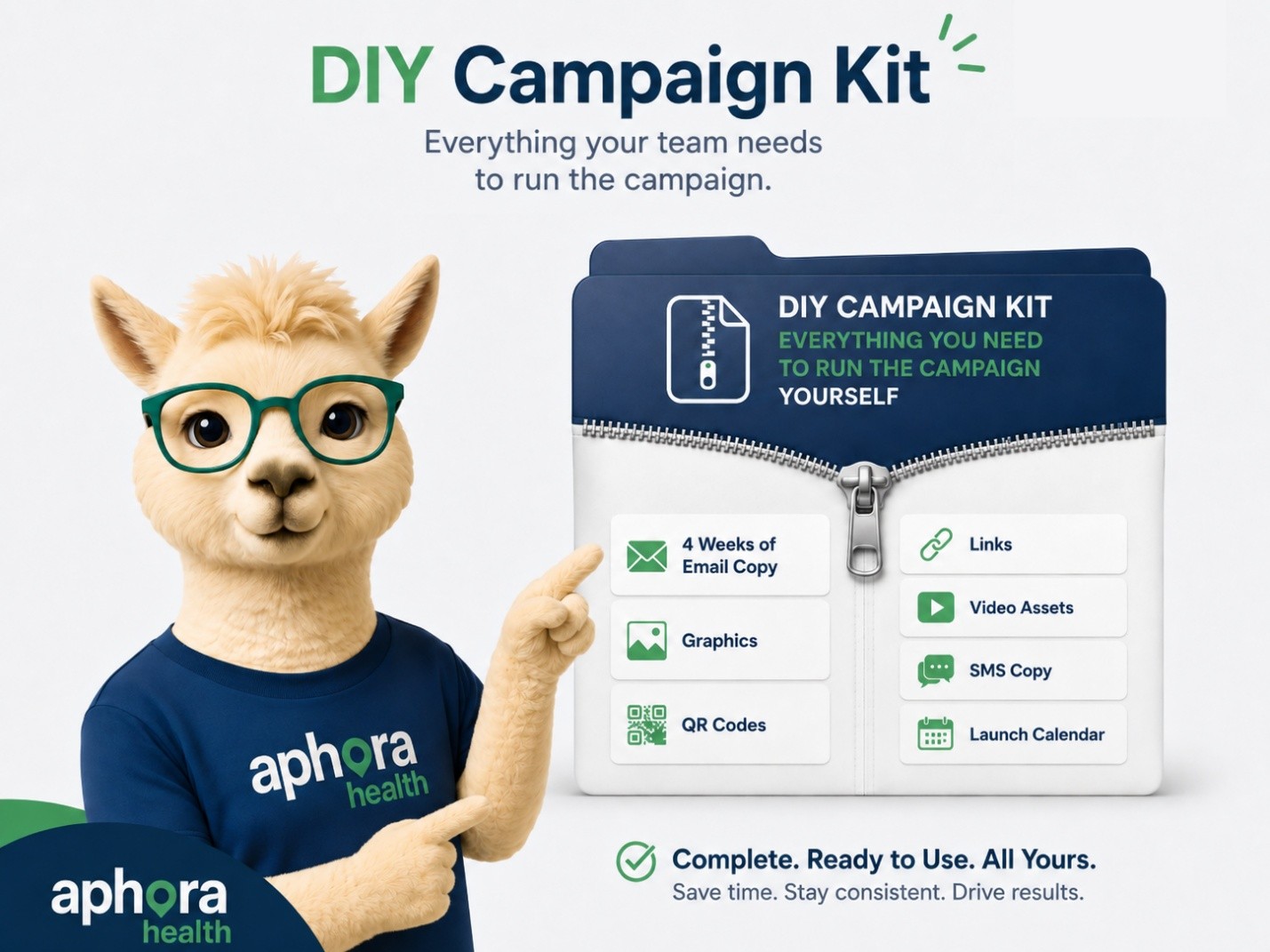
Aphora would provide:
Your team would handle:
This route can be very effective because employees are less likely to treat the message as suspicious when it arrives through the same channels they already use for benefits updates.
We can add a texting campaign to any of the three email options above, or run SMS as its own channel if email is not preferred. SMS works best as a reminder, not as the first introduction. A text about prescriptions from an unfamiliar sender can feel abrupt, so the safest path is to introduce Aphora through a trusted company channel first, then use SMS as a short nudge.
Recommended use: Pair SMS with the Week 1 launch and Week 4 reminder. Keep the message short, friendly, and clearly connected to the employer-approved benefit.
To get started with SMS, we would need:
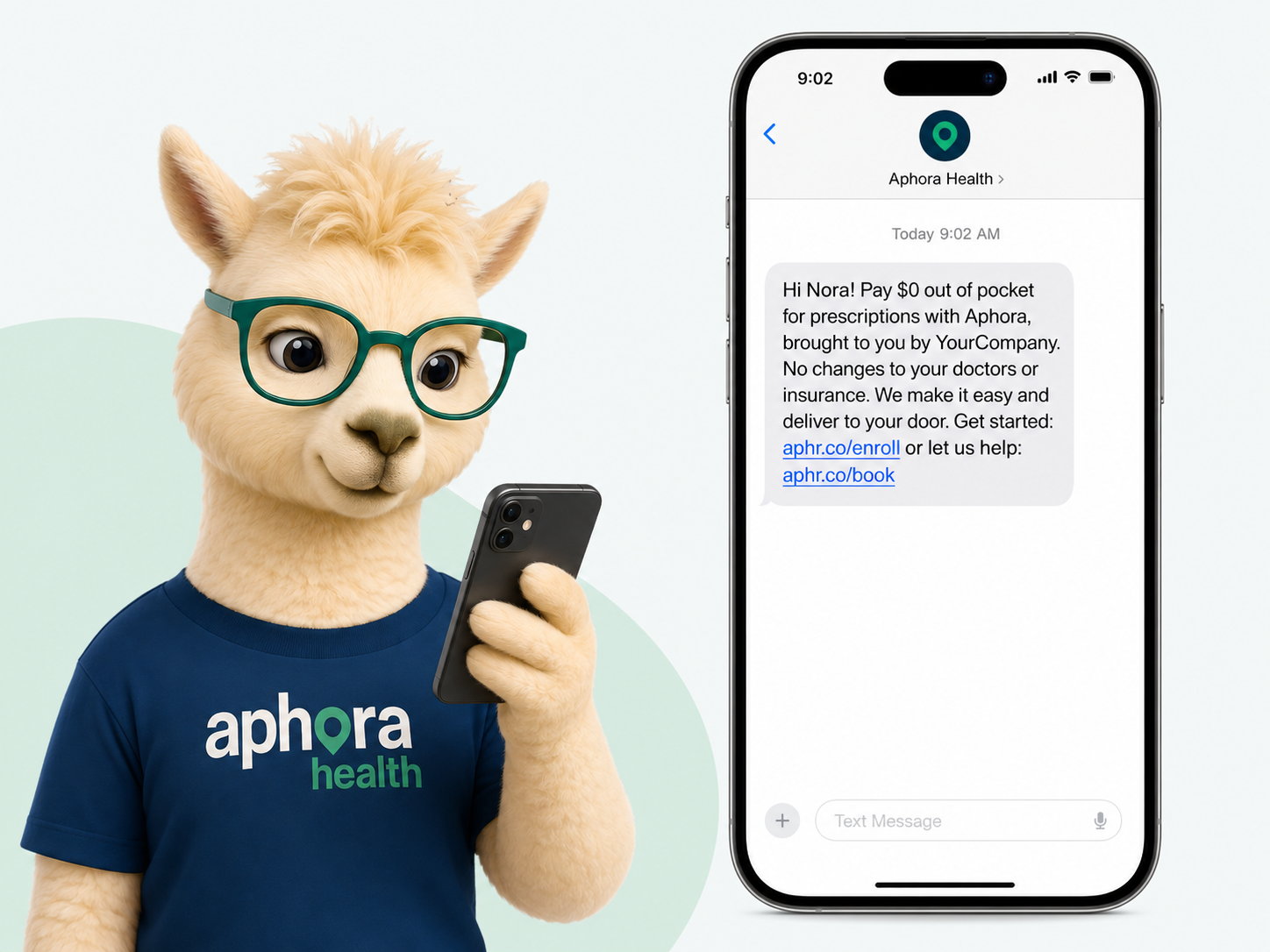
SMS should be treated as an add-on, not the whole campaign. The more familiar the Aphora feels before the text arrives, the more likely employees are to trust the message and take action.